

We wanted to see how Qwen Image 2.1 would run on our two Mac Studios and the DGX Spark. So we gave all three the same image prompts and tried both the base model and Turbo.
The thing that stood out was Turbo. On the M5 Ultra and Spark, it took about eight seconds to make an image. That makes trying a few different ideas pretty quick.
The M3 Ultra ran it too, but the wait was longer: about 32 seconds with Turbo, or two and a half minutes with the base model.
How fast was it?
These are the middle times from three runs of the same poster prompt, once the models were loaded. Each image was 1024 × 1024.
| System | Base | Turbo |
|---|---|---|
| M5 Ultra | 34.8 seconds | 7.6 seconds |
| DGX Spark | 38.6 seconds | 8.4 seconds |
| M3 Ultra | 155.5 seconds | 32.5 seconds |
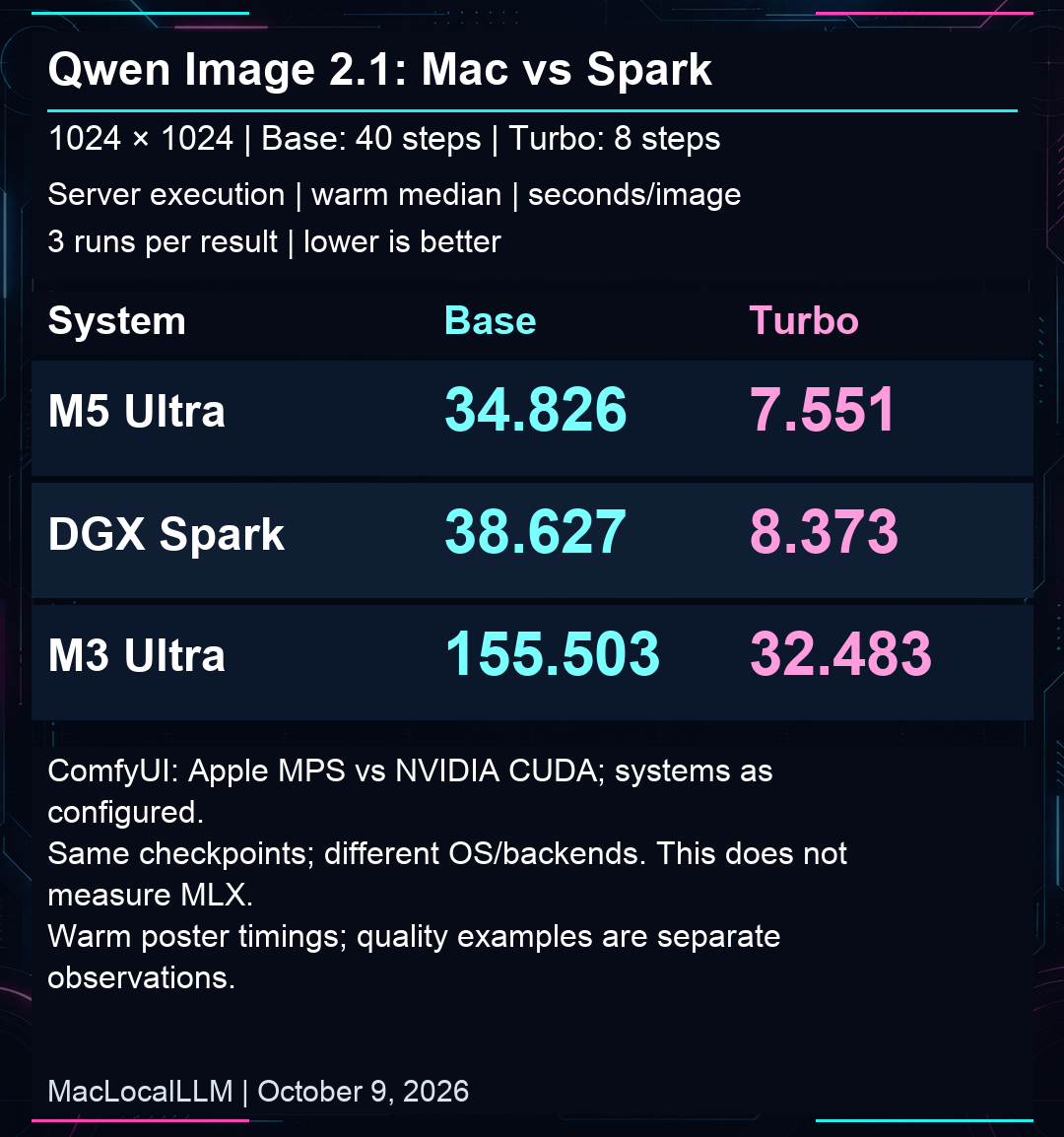
The M5 finished about 10% sooner than the Spark. They were close enough that, for our setup, we’d be happy sending a job to whichever one was free.
Turbo took roughly a fifth of the time on all three machines. The base model used 40 steps; Turbo used its own eight-step setup.
How did the images look?
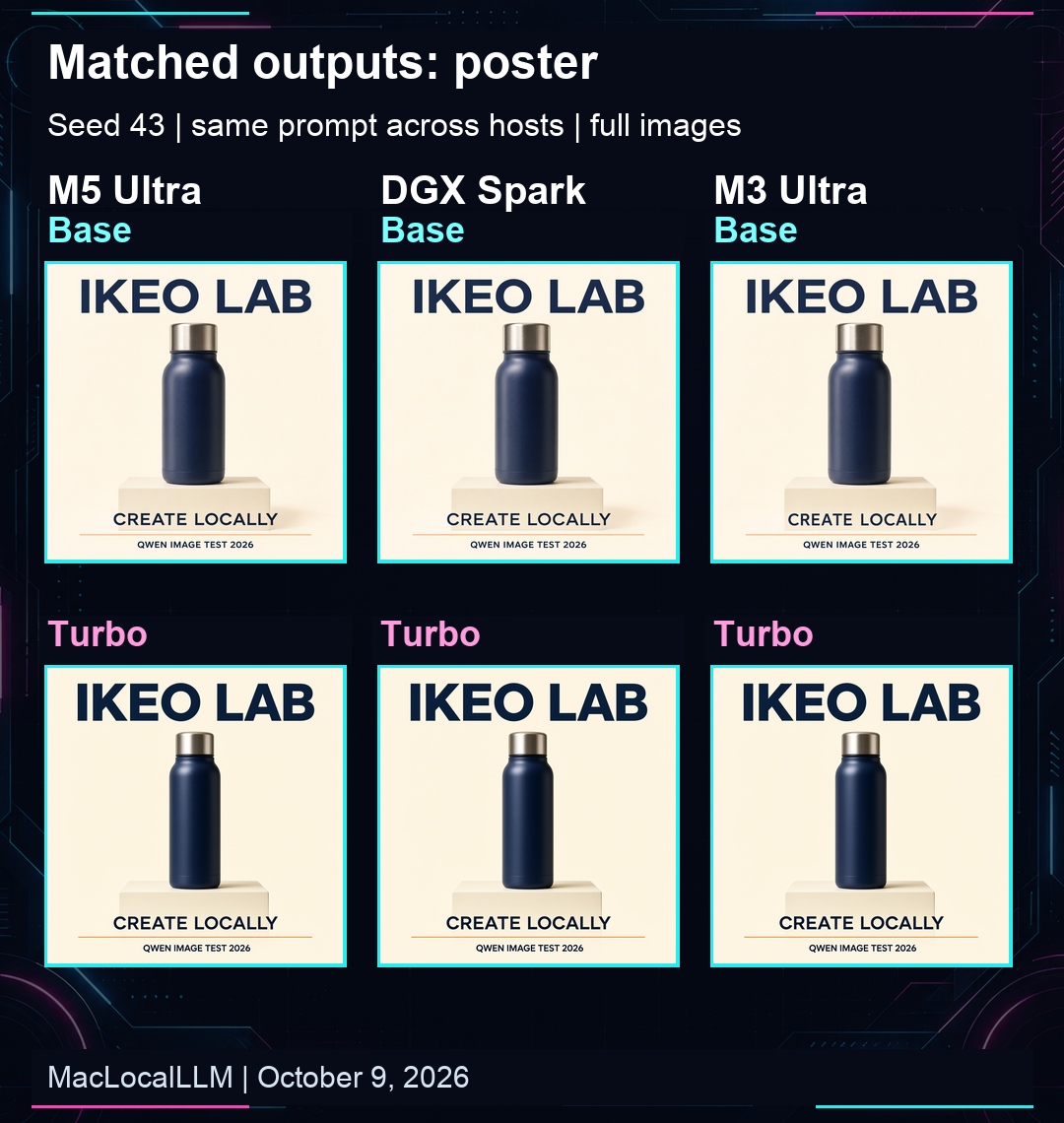
First we tried a product poster with a bottle and three lines of text. All 24 poster images got the requested words right. The images from each machine looked very similar, with little differences in the lettering and bottle details.
Then we tried a café photo. This is where the difference between base and Turbo was easier to see. Base showed more detail in the skin and shirt. Turbo looked smoother.
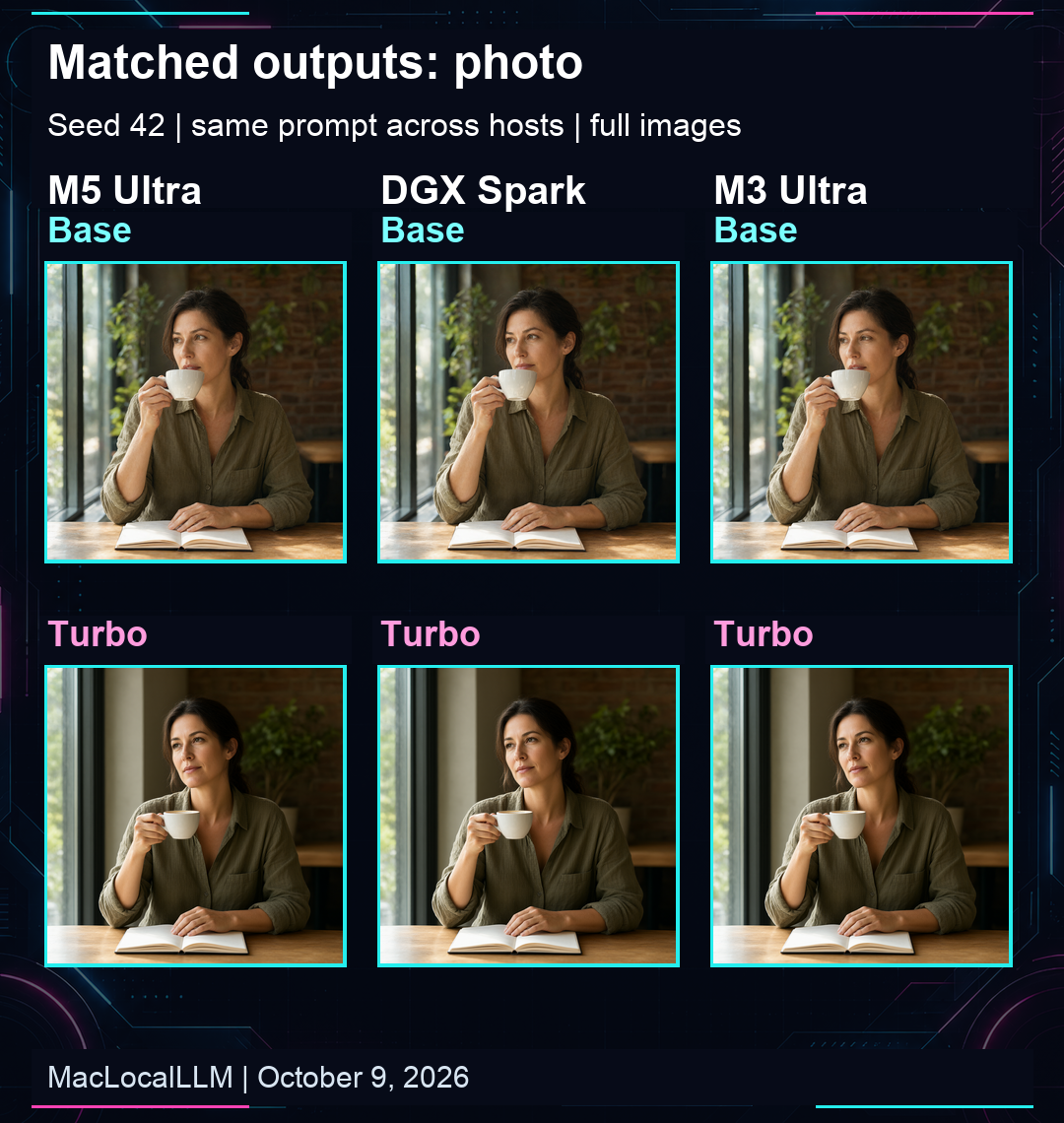
We’d start with Turbo when trying ideas, then compare a base render if the extra detail mattered. Two prompts aren’t enough to say which will look better every time.
A little context
Our M3 Ultra has 96 GB of memory, the M5 Ultra has 256 GB, and the Spark has 128 GB. We used the same model files, prompts and seeds in ComfyUI. Both Macs used PyTorch/MPS; Spark used CUDA. This wasn’t an MLX test.
We made 30 images altogether. The timing comparison uses the three warm poster runs for each model on each machine. It tells us how this setup performed; more prompts and longer runs could give us a different picture.